Showing posts with label apple. Show all posts

Thursday, February 11, 2016

iPhone 7 full Specification of Apple's 2016 iPhone

iPhone 7 full Specification of Apple's 2016 iPhone

iPhone 7: All the rumors about the specs, design and features of Apple's 2016 iPhone


It is during these earliest days of the product lifecycle, with the iPhone 6S and 6S Plus still in their relative youth, that the chatter concerning what shall come next is at its most fabulous. Since the day the new models first appeared in stores, Apple die-hards have been trawling the Internet in search of the rumors, leaks and dubious pronouncements made by anonymous supply chain sources.


And yet Apple remains as tightlipped as ever on what the next generation holds. So, what else can one do? Predicting the future of the iPhone has become a full-time, year-round sport, and we present here a curated collection of the most intriguing gossip about Apple's next big thing.

Editors' note: This story was originally posted on December 14, 2015 and last updated on February 9, 2016.

Announcement and release dates
According to Apple's traditional cadence, new iPhone models debut in the fall. The 6S and 6S Plus were unveiled on September 9 and hit store shelves on September 25, and we have every reason to expect the next major update to come around this same period in 2016.

Though no official invitations have been made yet, however, the company's next big event is rumored to be scheduled for March 2016. Given that the Apple Watch would be coming up on its first birthday in April 2016, it's likely that such an event would be focused on its successor. And while it's possible we could also see a new iPhone early in 2016, that would more likely be the rumored iPhone 6C -- an updated small iPhone to replace the aging iPhone 5S sitting at the bottom of Apple's current lineup.

Design
For the past several years, Apple's iPhone updates have followed a predictable cycle: major design changes in even-numbered years, followed by "under the hood" tech upgrades that keep the same basic physical chassis in odd-numbered "S phone" years. For 2016, then, a total redesign is a near certainty -- possibly with some dramatic innovations.

Amid rumors that the company has developed multiple iPhone 7 prototypes, Mark Gurman at 9to5Mac reports that Apple is experimenting with three different handset designs including a "completely new, thinner look," and a "backup" design that's similar to the iPhone 6S. More recently, MacRumors has suggested that the iPhone 7 will have a design that's "very similar" to that of the iPhone 6 and 6S, though without the antenna bands that run across the current generation. And we still expect the company to release two versions of the phone -- ostensibly, a standard-sized, 4.7-inch iPhone 7 and larger 5.5-inch iPhone 7 Plus.


Given the regularity with which folks drop phones in toilets and other bodies of water, could Apple develop a water-resistant or waterproof chassis? (By the way, here's what to do when it inevitably happens to you.) Other manufacturers have already gone there, of course: Samsung with the Galaxy S5, Sony with its Z5 Premium and Motorola with its entry-level Moto G. Still, the fact that Samsung did not make the Galaxy S6 waterproof suggests that it's not a critical feature for most consumers.

That noted, Business Insider reports that Apple has filed for a new waterproofing-related patent. Titled "Electronic Device with Hidden Connector," the application suggests that ports could be covered with a "self-healing elastomer." According to the patent description, iPhone ports equipped with this technology would be covered with membranes, which could be penetrated by a headphone or USB connector, for example, and which would seal back up once the connector is withdrawn.

Building on this narrative, 9to5Mac has reported that Apple is developing a new set of Bluetooth earphones that could be introduced simultaneously with the iPhone 7. The fruit of the company's acquisition of Beats Electronics, the new earphones, potentially called "AirPods," are rumored to be completely wireless, similar to the Motorola Hint.


One of the more interesting iPhone 7 predictions involves a move away from the physical home button. As CNET reported earlier, recent iPhone innovations -- specifically the pressure-sensitive 3D Touch screen and increasing always-on hands-free functionality of Siri -- have diminished the need for it, and that a buttonless iPhone would be a natural move for a company with such a strong preference for clean lines as well as simple design. That would also allow the large top and bottom bezels to shrink, effectively allowing Apple to squeeze a larger screen into the same size body. The trick, of course, would be keeping the all-important Touch ID fingerprint sensor somehow integrated into the device.

Note that the melodramatic iPhone 7 "leaked concept" video in circulation on social media has been flagged as a fake. The video shows a cleansuit-clad employee, ostensibly of Foxconn, one of Apple's longtime suppliers, handling a home button-less iPhone 7 until, offscreen, someone shouts, "Hey!". Nice try, folks.

Display
There is a particularly durable rumor about a sapphire display, which would offer a higher degree of scratch and shatter-resistance than the current models' Gorilla Glass. In fact, the higher-end Apple Watch models have sapphire displays -- as well as OLED technology that provides best-in-class black levels, contrast and colors on a growing assortment of smartphones (including the Samsung Galaxy S6).


Apple uses LED backlit LCD technology for the current iPhones' Retina displays, and there has been speculation that Apple will eventually switch to OLED displays, but not until 2018. So, this would likely debut on whatever model succeeds the iPhone 7.

Connections
One of the most most widely speculated upon topics to date involves the connectivity standards the iPhone 7 will support. Rumor has it that Apple may potentially omit the 3.5mm headphone jack, a standard on every preceding iPhone, in favor of an all-in-one Lightning connector. This would accommodate a thinner chassis -- perhaps shaving off as much as one millimeter. And there is fact to support this thesis: Philips showed off Lightning-only headphones earlier in 2015, though they apparently have yet to be released.

How about swapping out Lightning for USB Type-C? Despite its growing ubiquity as the standard for other smartphones, tablets and PCs, it feels unlikely. Yes, Apple made USB-C the only connector in its 2015 MacBook revamp, but the company has elsewhere doubled-down on Lightning in the past year, adding it to new Mac accessories, Beats speakers, the iPad Pro's Pencil accessory and the new iPhone Smart Battery Case.


Many Apple products continue to use Lightning even though USB Type-C is included on the newest MacBook.

The iPhone 6S and 6S Plus both come equipped with NFC to enable the contactless Apple Pay system. And yet Apple has yet to support the tap-to-pair capability of other NFC-enabled smartphones, which allow a user to tap a headphone or speaker to pair via Bluetooth. There was chatter about the possibility of enhanced NFC support in iOS 9, but it did not come to pass. Perhaps with the next generation.

Components
The iPhone 6S is a red-hot performer, showing off the improved speed of its new A9, 64-bit dual-core processor, enhanced Wi-Fi antennas and faster Touch ID sensor. And as each successive iPhone generation is expected to deliver improved speed, we expect to see an A10 chip powering the iPhone 7. Likewise, just as the 6S and 6S Plus got a bump in RAM from 1GB to 2GB, it's not unreasonable to expect to see an iPhone 7 that comes equipped with 4GB of RAM.


Powering the device is a a proprietary 64-bit A9 chip processor that Apple says offers 70 percent computing performance (CPU) and 90 percent faster graphics performance (GPU).

Screenshot by David Carnoy/CNET
In 2014, Apple doubled the top two tiers of the iPhone from 32GB and 64GB to 64GB and 128GB, but kept pricing the same. (The entry-level model remained at 16GB.) The company kept the same capacities for its 2015 line. Will it finally offer 32GB on the baseline model? Anything's possible, but getting customers to pay up for the 64GB model may be too much of a profit incentive to give up.

Related to the waterproofing rumors summarized above, the Commercial Times (via DigiTimes), reports that the iPhone 7 will contain "new compound materials" that will help hide the antenna, which is currently housed in bands on the back of the phone.

Another story that has surfaced involves the possibility of the iPhone 7 -- or perhaps the subsequent generation -- supporting wireless charging. One potential narrative has Apple narrowing connectivity to a single Lightning port, making it impossible to charge the phone and use wired headphones simultaneously. Hence: wireless charging. Mmmm...we'll see.

Camera
Many sources reported that there would be a significant step up in quality with the iPhone 6S's camera; a 10-megapixel camera and a two-lens DSLR-style camera were presented as two distinct possibilities. And though the 6S upped the standard iPhone's game with a much improved front-facing camera, only the 6S Plus features optical image stability capabilities that deliver higher quality photos and video in low light environments.


This time, there is lots of buzz about the rear-facing camera in particular. Several sites are reporting that the iPhone 7's back camera will sit flush with the case, instead of protruding slightly as with the iPhone 6 and 6S. A report by KGI Securities Ming-Chi Kuo claims Apple may create a version of the iPhone 7 Plus with two rear-facing camera lenses to offer and combine wide-angle as well as telephoto shots.

The technology would potentially leverage Apple's 2015 acquisition of Israeli technology company LinX Imaging, which has developed smaller sensors that can deliver DSLR-quality images with optical zoom and improved performance in darker environments. That noted, there are murmurs about Apple testing dual-lens technology from a number of Asian manufacturers. Though earlier rumors suggested that these higher-end features could appear on the standard iPhone 7 model, MacRumors has reported that only the 7 Plus will come equipped with this dual camera array.

Saturday, January 23, 2016

Google 'paid Apple $1bn in 2014 to keep search on iPhone'

Google 'paid Apple $1bn in 2014 to keep search on iPhone'

Google 'paid Apple $1bn in 2014 to keep search on iPhone'

Google paid tech rival Apple $1bn in 2014 to keep its search function the default option on iOS devices, Bloomberg reports.
A transcript of court proceedings from a copyright lawsuit against Google allegedly contains reference to a deal between the Silicon Valley firms.
The alleged agreement involves Google paying Apple a percentage of revenue - as much as 34% - gained through iOS devices.
Both companies declined to comment.
The BBC has not been able to verify the claims independently.
Bloomberg added that the referenced document has since been removed from the web.
"The transcript vanished without a trace from electronic court records at about 15:00," the report noted.
The court proceedings in question regard a lawsuit by Oracle Corp. in which the firm claims that Google used its Java software to develop Android but failed to pay for it.
'Lucrative business'
Analyst firms, such as Morgan Stanley, have quoted the $1bn figure in the past, but this appears to be the first time that a reference has been found in court documents.
"It's a very lucrative business to be the browser of choice on a device or the search engine on a device," Chris Green, a technology analyst at consultancy firm Lewis, told the BBC.
"It really does, I think, highlight the importance that's being put on being able to own real estate and the conduits through which people access information."
However, Mr Green also noted that it was generally quite common for companies to pay hardware vendors fees for the placement of software and services on devices and that sometimes that may indeed be a percentage of revenue gained as a result.

Other details about how Google manages its services emerged this week - including the fact that the firm removed 780 million "bad" advertisements from its sites last year.
By bad, Google said it was referring to ads which linked to malware, promoted fake goods or covered up website content.
In a blog post, the company said it had more than 1,000 people within its organisation responsible for weeding out these ads and that the number that had to be removed was increasing.
Some figures published by Google on advertisements include:
More than 17 million ads designed to trick or mislead people into clicking them removed
12.5 million ads blocked which violated Google's healthcare and medicine policy - such as ads for unapproved drugs

Monday, January 11, 2016

How to free up space in iCloud

How to free up space in iCloud

How to free up space in iCloud


Running out of cloud storage and don't want to buy more? Here are a few different ways to free up space in iCloud.


Apple's iCloud storage service can be used to stash away photos, videos, device backups, and more in the cloud. The company offers users 5GB of space for free, however because it's 5GB of space per Apple ID and not per device, you may find yourself running out of space faster than you would like. While additional storage can be purchased from Apple, there are ways to free up space in your iCloud account before shelling out some extra cash.

Check your space

To see how much space you are using, enter Settings on your iPhone or iPad, select iCloud, click Storage, followed by Manage Storage.

Delete old backups

There is a good chance that your backups are taking up most of your space. If you have backups from your old device, say from an iPhone 4 or iPad 2 that you no longer own, you can just go ahead and delete those. Simply click on the backup scroll to the bottom and tap Delete Backup.

Change backup settings


You may also be backing up items that you don't really need to have saved in the cloud. For me, that includes Safari data (I use Google Chrome instead) and Contacts (I save my contacts to Gmail), but it's different for everyone. Head to Setting and click on iCloud. From here you can pick and choose which items you would like to be saved to iCloud. If you find something you really don't care about, flip the switch to off to delete the data. This will also make sure it isn't backed up the next time you perform a backup.

Alternative photo services

An easy way to free up a lot of space in iCloud is to delete photos from your backups. Instead of having photos stored in iCloud, I recommend using one of the many third-party cloud services that offer even more free space than Apple. My personal favorite is Google Photos, which offers unlimited storage for free. There's also Yahoo's Flickr app, Microsoft One Drive, DropBox, and Amazon Cloud Drive. You can learn more about these services in this article.

This article was originally published in October 2014 and has been updated to include new information.

Friday, January 8, 2016

How to hide app icons on iOS 9.2

How to hide app icons on iOS 9.2

How to hide app icons on iOS 9.2


Apple has said it's looking at ways to give users the option of removing preinstalled apps from iOS devices. Although, the company has given no timetable or clear indication if such capabilities will ever manifest in a future version of iOS.

In the meantime, there are ways to get around the limitation. Instead of creating a folder for all of the Apple apps you have zero intention of using, you can take advantage of a bug discovered by Twitter user @VBarraquito.

You can make an app icon disappear by creating a folder, then dragging the icon to the right, creating a blank page within the folder. However, instead of lifting your finger and placing the icon on the new page, press the home button.

If everything has worked properly, you should see the app icon float off of the screen in the top-left corner. The app is still installed, and can be accessed by searching for it in Spotlight.


I tested the workaround on iOS 9.2.1 public beta 2 and was able to hide icons.

As has been the case in the past, the solution is a temporary one -- the app will reappear after you restart your iOS device. In order to hide the apps again, you'll need to go through the process once more. It's not perfect, but for those who don't often restart their device, it's better than nothing.

Below is a video of the trick in action:

Saturday, December 26, 2015

Top 4 Tab in current Market compare - Google Pixel C vs others

Top 4 Tab in current Market compare - Google Pixel C vs others

Google's Pixel C has entered a crowded, confusing marketplace. It's the first Android tablet made and designed by Google, and it's built to showcase everything that Android 6.0 Marshmallow has to offer. Pick up the optional full-sized keyboard, and you'll have a compact office package.

Google Pixel C vs. Microsoft Surface 3 vs. iPad Air 2 vs. Samsung Galaxy Tab S2 (9.7-inch)


But Android 6.0 Marshmallow is a mobile operating system: unless you're already enmeshed in Google's ecosystem, that'll rule out most of the tools you're used to using on a proper PC. Apple's well received iPad Air 2 is in a similar spot, but the wealth of tablet-friendly apps available on iOS eases the blow a bit.

More serious competition comes from two-in-one devices such as the Surface 3, which runs Windows 10 -- a full operating system. And then there's Samsung's 9.7-inch Galaxy Tab S2, which lacks a fancy keyboard companion, but offers a gorgeous screen and expandable storage.

Let's see how Google's Pixel C compares.
GOOGLE PIXEL C SPECS COMPARISON


Google Pixel C iPad Air 2 Surface 3 Samsung Galaxy Tab S2 (9.7-inch)
Display 10.2-inches, 2,560x1,800-pixel resolution 9.7-inches, 2,048x1,536-pixel resolution 10.8-inch, 1,920x1,280-pixel resolution 9.7-inches, 2,048x1,536-pixel resolution
Pixel density 308 ppi 264 ppi 214 ppi 264 ppi
Dimensions (imperial) 9.5 x 7.04 x 0.2 inches 9.4 x 6.6 x 0.24 inches 10.52 x 7.36 x 0.34 inches 9.34 x 6.6 x 0.22 inches
Dimensions (metric) 242 x 179 x 7 mm 240 x 169.5 x 6.1 mm 267 x 187 x 8.7 mm 237.3 x 169 x 5.6 mm
Weight 1.14 pounds (517 grams) 0.96 pounds (437 grams) 1.27 pounds (622 grams) 0.58 pounds (265 grams)
Operating system Android 6.0 Marshmallow iOS 9 Windows 10 Android 5.1.1 Lollipop, with Samsung's TouchWiz
Processors Nvidia X1 quad-core, Maxwell GPU 64-bit A8X, M8 motion coprocessor 1.6GHz Intel Atom x7-Z8700 CPU, Intel Exynos Octa 5433 (1.3GHz quad-core Cortex A53; 1.9GHz quad-core Cortex A57)
Storage 32GB, 64GB up to 128GB up to 128GB 32GB, 64GB
RAM 3GB 2GB up to 4GB 3GB
Battery 12 hours 42 minutes of video playback TBD, estimated at over 10 hours mixed use 7 hours 41 minutes of video playback 12 hours 42 minutes of video playback
Starting price (US) $500 $499 $499 $500

Much of the conversation here will revolve around price. The Pixel C sits at $500 for the 32GB model and $600 for the 64GB version. Tack on that keyboard (you'll want to), and you'll pay an extra $149. That converts to £330 or AU$690 for the 32GB tablet, £400 or AU$825 for the 64GB tablet, and £100 or AU$205 for the keyboard, though expect final prices to vary.


The Galaxy Tab S2 starts at the same price for 32GB and has a slightly lower resolution display. But you can always tack on a microSD card to meet your storage needs. The Tab S2's performance doesn't fail to impress either.

The iPad Air 2 starts at $499 for a paltry 16GB. The first model anyone should really consider is the 64GB variant for $599, £479 or AU$829. If you care about a keyboard, there plenty of third-party options available for your iPad. If you don't, then you're just left to decide whether you prefer Apple iOS 9 or Android 6.0 Marshmallow -- I won't wade into that argument here.

That leaves the Surface 3. It's the homeliest of the bunch, but it's also the only member of the pack to offer a full PC experience, care of Windows 10. You'll be able to run all of your favorite desktop apps, plug peripherals into a USB slot, and expand your storage with a microSD card. You'll want to tack on an extra $130, £110 or AU$162 for the Type Cover keyboard, but the Surface 3's versatility makes it an attractive prospect.

Friday, February 20, 2015

iPhone 7 release date new features and images

iPhone 7 release date new features and images

When is the new iPhone 7 coming out? What new features and design changes can we expect in the iPhone 7? And will it even be called the iPhone 7?

The iPhone 7 is already a hot topic, even though the iPhone 6 and iPhone 6 Plus have only been out for a few months. You may be surprised by how much speculation there is about the iPhone 7 already: rumours about the iPhone 7's release date, its design, specs and features, and even its name.

In 2015 we're sure to see a next-generation iPhone. But what will the new iPhone 7 (or perhaps iPhone 6s or simply 'New iPhone') be like? What new features can we expect in the iPhone 7? And when will the iPhone 7 come out? We round up the evidence to bring you everything there is to know about the iPhone 7 so far.

Bookmark this page and come back regularly for the latest iPhone 7 information, clues, hints and rumours, as well as any leaked photos of the iPhone 7 that emerge; we'll update the article whenever we hear any worthwhile new information on the subject.

Thursday, February 12, 2015

 Apple Mac Mini (2014) Full review

Apple Mac Mini (2014) Full review

The Good The Mac Mini is the least expensive OS X computer, and its performance is on par with Macs that cost twice as much.
The Bad Upgrades are expensive, and aftermarket upgrades are nearly impossible. Configuration options are not as extensive as previous versions of the Mac Mini, and a keyboard and mouse are not included.
The Bottom Line While its sealed-case limitations will turn off power users, Apple's least expensive Mac delivers a solid OS X experience in a compact box with similar performance to the entry-level MacBook Air and iMac 


There are only two ways to get a computer running OS X, but without a permanently attached display. One is Apple's most-expensive computer, the $2,999-and-up Mac Pro, the other is its least-expensive, the $499 Mac Mini. Other than those two bookends, Macs are all either MacBook laptops with clamshell designs, or all-in-one iMacs, with large screens on pivoting arms.

To get access to the features of OS X for same price as a standard iPad, you'll need to bring your own display, keyboard and mouse or trackpad. If you already have some or all of those, great; if not, the total cost can add up quickly, especially if you stick to Apple-branded accessories.

There are many Windows PCs that cost around the same, but nearly all are budget-minded, low-power plastic boxes that lack anything close to a premium feel. The entry level Mac Mini, while not especially powerful, has a unibody aluminum design and works about as well as a MacBook Air laptop (the components are very similar), which is one of our favorite computers.

But, underneath the matte aluminum chassis, there are a few areas where the current iteration of the Mac Mini may not work for you. The processor in the $499 model (£399 in the UK and AU$619 in Australia) is a dual-core, low-voltage fourth-generation Intel Core i5. Two more-expensive base configurations include faster Core i5 CPUs, with a dual-core Core i7 as a extra-cost add-on on top of that. But if you go back to the last major Mac Mini update from 2012, you'll find quad-core Core i7 chips, a more powerful option now missing.

The late 2014 update adds dual Thunderbolt ports and faster 802.11ac Wi-Fi (as found on the rest of the current Mac line), but the RAM, which was previously user-accessible, is now permanently soldered to the motherboard. In other words: no more post-purchase upgrades. Instead, you need to plan your upgrades at the time of purchase. And they're not cheap: a simple jump from the base 4GB to 8GB is an extra $100, and adding a 1TB Fusion drive (with both SSD and HDD hardware) costs $250 over the slower 5400rpm 500GB hard drive in the least-expensive configuration.


Sarah Tew/CNET
After a few fallow years, interest in small desktop PCs is ramping up, and the Mac Mini faces some interesting competition from Windows devices such as the Alienware Alpha and the HP Pavilion Mini, which can both be figured to cost around the same, although each has its own trade-offs. And that doesn't even include more affordable budget options like Chromebooks, "Chromebox" mini desktops and even full-fledged Windows laptops like the HP Stream 11, all of which can be had for about $200.

Apple enthusiasts hoping for a radically updated, future-proofed Mac Mini will be disappointed that the small steps forward in some areas are offset by what may be seen as backwards moves in others (especially for DIY upgraders). But for casual consumers looking for a basic desktop or a TV-connected multimedia PC, it's hard to imagine a more comprehensive, self-contained computer, especially one running OS X, for the price.

Friday, May 9, 2014

Apple's iPhone 6 Rumored to Launch in August

Apple's iPhone 6 Rumored to Launch in August

Apple usually brings the next generation of iPhones in September of each year, but a new report suggests that we could see the iPhone June 1 little early this time .


According cited in the Economic Daily News of Taiwan ( seen by Reuters ) sources , is expected to launch the iPhone. 6 for August , a month earlier than planned than normal product cycle of the company

According to the report , only 4.7 inch iPhone will be launched in August , with Apple releasing a large 5.5 - inch or 5.6 - inch model in september.

Earlier this year , an alleged leaked document of what is considered as an overview of the iPhone 6 , provides evidence that the new Apple smartphone could be in the range of 5.5 inches . This would be the first foray by Apple into larger units , often referred to as his " phablets . "

Samsung launched the largest market for smartphones in 2011 , when he announced that the Galaxy Note phone original 5.3 inch . Other manufacturers such as HTC , Nokia and LG rolled out shortly after similar sizes.

The iPhone 6 is rumored to be better cards and a strong focus in the gym have .

Tuesday, March 18, 2014

New iPad Pro Concept Packs A 12.9-inch 4K Display, iPad Air-Like Form Factor And More [Images]

New iPad Pro Concept Packs A 12.9-inch 4K Display, iPad Air-Like Form Factor And More [Images]

A new iPad Pro concept cooked up by the folks of German design outfit CURVED Labs demonstrates precisely the kind of product that power users of the Apple slate would probably be seeking. Packing a sumptuous 12.9-inch 4K display of almost 300ppi, the device, which does seem a little idealistic if we’re honest, manages to retain the same thinness as the iPad Air, and although we doubt that Apple could possibly stuff such a high-spec IPS panel in this kind of form factor, it’s not as though Jony Ive and his hardware design team haven’t pulled off similarly improbable feats in the past.

Tim Cook recently alluded to some “new product categories” releasing in 2014, but as you’d expect from the CEO of one of the biggest companies around, he remained tight-lipped regarding specifics. The possibility of Apple joining the likes of Samsung and Sony by delivering a smartwatch to the market is certainly on the cards with the hotly-rumored ‘iWatch’, and the iPhone 6, while not a new product in itself, is particularly exciting given that many sources have touted that two, notably larger models are in the offing.

As well as iWatch and iPhone 6 chit-chat, though, there has also been this lingering idea of an ‘iPad Pro’ manifesting itself at some point this year. With the success of the iPad Air and its smaller counterpart, the iPad mini, there’s a feeling that an iPad ‘maxi’ or ‘iPad Pro,’ would compete the line-up.

It’s a well-known fact that Apple wants to boost its slate’s credentials as a serious device for productive folk as opposed to just a consumption device for gaming and movies, and what better way to underline this intention than to come through with a feature-rich, larger Pro model, akin to the MacBook range?

CURVED Labs certainly thinks the product should be in Apple’s considerations, and as such, has come through with an interesting iPad Pro concept. Samsung’s Galaxy NotePro, which packs a 12.2-inch display, has those workhorse features – like split-screen viewing for running multiple apps simultaneously – that many tablet users crave, and with the iPad Pro, Apple would have the opportunity to cater to that higher-end bracket of the market.

As well as the awesome screen and svelte form factor, the iPad Pro runs on a 64-bit A8 processor, and would take a leaf out of Samsung’s book with support for stylus-like peripherals.

Would you be interested in such an iPad Pro device? Feel free to drool over the images of this truly remarkable design, and be sure to leave your comments below!

Saturday, December 7, 2013

Apple iPhone's Free Unlock Codes and reset code

Apple iPhone's Free Unlock Codes and reset code

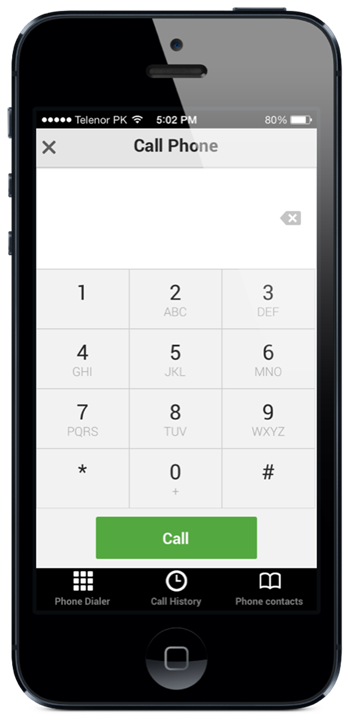
3001#12345# and tap Call. Enter field mode
Field mode reveals many of the inner settings of your iphone
specially up-to-date network and cell information

*#06# Displays IMEI. No need to tap call
IMEI is the unique identifier for your cell phone hardware
together with your SIM information it identifies you to the
provider network
*777# and tap Call. Account balance for prepaid iPhone
*225# and tap Call. Bill Balance. (Postpaid only)
*646# and tap Call. Check minutes. (Postpaid only)
These three are pretty self explanatory
*#21# and tap call. Setting interrogation for call forwards.
Discover the settings for your call forwarding. You'll see whether
you have voice, data, fax, sms, sync, async, packet access, and
pad access call forwarding enabled or disabled.
*#30# and tap Call. Calling line presentation check.
This displays whether you have enabled or disabled the presentation
of the calling line, presumably the number of the party placing the call.

*&76# and tap Call. Check whether the connected line presentation is enabled or not.
State whether the connected line presentation is enabled or disabled. Presumably similiar to the calling line presentation.

*#43# and tap Call. Determine if call waiting is enabled
Displays call waiting status for voice, data, fax, sms, sync data, async data,
packet access and pad access. Each item is either enabled or disabled.

*#61# and tap Call. Check the number for unanswered calls.
Sho the number for voice call forwarding when a call is answered. Also show
the options for data, fax, sms, sync, async, packet access and pad access

*#62# and tap Call. Check the number for call forwarding if no service is available.
Just like the previous, except for no-service rather than no-answer situations.

*#67# and tap Call. Check the number for call forwarding when the iPhone is busy.
And again, but for when the iPhone is busy.

*#33# and tap Call. Check for call control bars

Here you will find all GSM-Codes/Secret-Code, for the iPhone are relevant.

*#06# Displays your IMEI on your iPhone.
*3001#12345#* To get your access to the field test mode of iPhone.
*#30# Thus, you can check whether the caller identification (Clip-function) in the iPhone is active.

*#43# Call Waiting Status
*43# Activate a waiting
#43# Deactivate waiting

Change PIN1: **04* old PIN * new PIN * new PIN #
Change PIN2: **042*old PIN * new PIN * new PIN #

*#746025625# SIM Clock Stop Mode
Whether your SIM card the SIM Clock Stop mode supported, you can find out with this code. The iPhone will then idle at the SIM card, ie no calls, etc., all activities on the SIM card. This has a positive effect on power consumption and prolongs battery life.
*3370# EFR mode
Enhanced Full Rate improves voice quality, but slightly reduced battery life.
#3370# ERF OFF mode
*4720# Half Rate (HFR) on
Opposite of ERA.
#4720# Half Rate (HFR) off
*21# Call divert a
#21# Call divert from
**21* destination number # number programmed
###21 deletes the call transfer is complete.
*#21# Call Forwarding Overview
**61* destination number ** (Time 5 to 30 seconds) # divert after 5 to 30 seconds to ring
*61# Activate divert
#61# Call divert Disabled
##61# Deletes Diversion
*#61# Call divert status
**62* destination number # redirection in unattainability
*62# Turning
#62# Off
##62# Clear
*#62# Status
**67* destination number # for Divert if busy
*67# Turning
#67# Off
##67# Clear
*#67# Status
*31# phone number is transmitted
#31# phone number is not transmitted
*#5005*86# Are you the code, it displays the current mailbox settings.
*5005*86*# xxxxx Combox mail button on the available
(xxxxx = mailbox number)
*646# minutes consumption control
*135# Display Own Phone Number
*33* barring code # Outgoing calls to block the lock code to inquire about her please contact your network operator.
*#33 Unlock
*#33# Status
*331* barring code # Outgoing calls abroad to block the lock code to inquire about her please contact your network operator.
#331* barring code # lift blockade
*#331# status
*#5005*7672# SMS- center check
Current number of the SMS Center (SMSC) to find out. Each SMSC according to variable cost
*5005*7672*xxxxxxx # SMS Center reactivate
(xxxxxxx = SMS center number)


Samsung Unlock and reset Code


Friday, November 29, 2013

Black Friday 2013 iPhone And iPad Apps / Games Gone Free Or On Sale[List]

Black Friday 2013 iPhone And iPad Apps / Games Gone Free Or On Sale[List]

Black Friday is not just a day to stand in line at the nearest big box retailer , hoping that you will be able to hang the big screen TV outdoors or the last one Furby . These days the pleasure comes online as well as it does on the street, and this applies to digital and stores . Sales are currently kicking around the Internet , and iOS App Store is no different.

Thank you developers are willing to enjoy the hysteria that often the Black Friday and Cyber ​​Monday around us events associated with the players and fans of all other applications can get some headlines for not much money , with applications games and even decide to go for a little more time to get the graphics application. It's clever, but we will not complain !

Holidays 2013 iPhone iPad Apps Sale

We are currently looking for bargains on iPhone and iPad App Stores , so if you think there are cheap or free applications that we add to the list , please let us inform . It will be something like a message online , with new titles added as we see them. There are already some great apps on sale , and we have a sneaky feeling that this is just the beginning.

Therefore , applications that are aware of the moment are :

applications:


  • Appetites for iOS (was $9.99, now FREE)
  • Animoog for iPhone (was $9.99, now $1.99)
  • Animoog for iPad (was $29.99, now $4.99)
  • Boxer for iOS (was $5.99, now $0.99)
  • Weather Notifications for iPhone (was $1.99, now $0.99)
  • Localscope for iPhone (was $2.99, now $1.99)
  • CanOpener for iOS (was $2.99,now $0.99)
  • Pinned for Pinboard for iPhone (was $3.99, now $1.99)
  • Furuka for iPhone (was $1.99, now FREE)
  • Traktor DJ for iPhone (was $4.99, now $1.99)
  • Traktor DJ for iPad (was $19.99, now $9.99)
  • iTeleport Remote Desktop for iPad (was $19.99, now $11.99)
  • iTeleport Remote Desktop for iOS (was $24.99, now $14.99)
  • Money by Jumsoft for iPhone (was $1.99, now $0.99)
  • Star Walk – 5 Stars Astronomy Guide (was $2.99, now $0.99)
  • Linky for iOS (was $1.99, now $0.99)
  • Extreme Contacts for iOS (was $.99, now FREE)
  • Trails – GPS tracker for iOS (was $3.99, now $1.99)
  • Pinner for iOS (was $1.99, now $0.99)
  • House Design for iOS (was $3.99, now $0.99)
  • Filapp for App.net for iOS (was $1.99, now FREE)
  • Prizmo for iOS (was $9.99, now $4.99)
  • SketchBook Pro for iPad (was $4.99, now $3.99)
  • Phlo for iOS (was $2.99, now $1.99)
  • Noteshelf for iPad (was $8.99, now $4.99)
  • iMuscle 2 for iPhone (was $1.99, FREE)
  • iMuscle 2 for iPad (was $2.99, now FREE)
  • Final Draft Writer for iPad (was $49.99, now $29.99)
  • Radium for iPhone (was $1.99, now FREE)
  • ProCam 2 for iPhone (was $2.99, now $0.99)
  • Spark Camera for iPhone (was $1.99, now $0.99)
  • WriteRight for iOS (was $4.99, now $2.99)
  • ComingUp for iPhone (was $2.99, now $1.99)
  • Recordium for iOS (was $4.99, now $0.99)
  • SyncSpace for iOS (was $19.99, now $9.99)
  • Star Walk HD for iPad (was $2.99, now $0.99)
  • Pickle – Smart Clipper for iPad (was $1.99, now FREE)
  • Plex for iOS (was $4.99, now $1.99)
  • 1Password for iOS (was $17.99, now $9.99)
  • Money by Jumsoft for iPad (was $4.99, now $1.99)
  • iYoga – Premium for iPhone (was $1.99, now FREE)
  • iYoga for iPad (was $1.99, now FREE)
  • Money Pilot for iPhone (was $2.99, now $0.99)
  • Fliptastic for iPhone (was $.99, now FREE)


Games:

  • Infinity Blade for iOS (was $4.99, now FREE)
  • XCOM: Enemy Unknown (was $19.99, now $9.99)
  • Limbo for iOS (was $4.99, now $1.99)
  • 2K Drive for iOS (was $6.99, now $1.99)
  • 2K Sports NHL 2K11 for iPhone (was $3.99, now $0.99)
  • Riptide GP2 for iOS (was $2.99, now $0.99)
  • Civilization Revolution for iPhone (was $2.99, now $0.99)
  • Civilization Revolution for iPad (was $6.99, now $0.99)
  • Sid Meier’s Pirates! for iPhone (was $2.99, now $0.99)
  • Air Hockey for iOS (was $.99, now FREE)
  • SOULCALIBUR for iOS  (was $14.99, now $6.99)
  • MEGA MAN X for iOS (was $4.99, now $0.99)
  • Monsters Rising for iOS (was $3.99, now $1.99)
  • LostWinds for iOS (was $3.99, now $1.99)
  • LostWinds 2: Winter of the Melodies (was $3.99, now $1.99)
  • Pinball HD for iPad (was $1.99, now FREE)
  • Spider: The Secret of Bryce Manor for iPhone (was $1.99, now $0.99)
  • Spider: The Secret of Bryce Manor for iPad (was $1.99, now $0.99)
  • 1112 episode 01 for iPhone (was $4.99, now $0.99)
  • 1112 episode 01 HD for iPad (was $6.99, now $1.99)
  • 1112 episode 02 HD for iPad (was $6.99, now $1.99)
  • 1112 episode 02 for iPhone (was $6.99, now $0.99)
  • 1112 episode 03 for iPhone (was $4.99, now $0.99)
  • 1112 episode 03 HD for iPad (was $4.99, now $0.99)
  • Diner Dash: Grilling Green Deluxe for iPad (was $4.99, now FREE)
  • Prince of Persia: The Shadow and the Flame for iOS (was $2.99, now $0.99)
  • Toy Defense for iPhone (was $2.99, now FREE)
  • Toy Defense HD for iPad (was $4.99, now FREE)
  • The Amazing Spider-Man for iOS (was $6.99, now $0.99)
  • LostWinds for iOS (was $3.99, now $1.99)
  • NBA 2K14 for iOS (was $7.99, now $2.99)
  • Zumba Dance for iOS (was $4.99, now FREE)
  • Stellar Wars for iOS (was $1.99, now $0.99)
  • LostWinds2 for iOS (was $3.99, now $1.99)
  • Sky Gamblers: Rise Of Glory for iOS (was $2.99, now $0.99)
  • Sky Gamblers: Air Supremacy for iOS (was $2.99, now $0.99)
  • Shadowrun Returns for iPad (was $9.99, now $6.99)
  • Toca Builders for iOS (was $2.99, now FREE)
  • Sid Meier’s Pirates! for iPad (was $4.99, now $0.99)
  • Cut the Rope HD for iPad (was $3.99, now $0.99)
The strengths are there for us XCOM: Enemy Unknown and 50% on the regular price and venerable 1Password with considerable price drop in an application that many of us simply could not live without. If you've been holding off one of the above applications, however, now may be the time to polish this credit card.


Monday, October 28, 2013

How to play Windows games on a Mac

How to play Windows games on a Mac

Play games designed for Windows on your Mac will not be a hassle . There are a few ways to make that happen and a good selection of software out there to help you. Some virtualization methods are cheaper than others , but programs like CrossOver , Wine , Parallels and VMware will help you do the job. Check out our guide to help you choose the option that suits you you. See also Group test : What 's the best PC game ?

Play Windows games on a Mac with Boot Camp

Apple virtualization solution is very simple . By installing Boot Camp and Windows on your computer, you can run the Windows boot and start playing from there , if your system has the graphics power to keep . Apple says that Boot Camp is a good choice because it does not let the fight against the same performance issues that come with emulators .
You can install Windows and iOS side to side and switch between the two just using Boot Camp . During installation , the auxiliary tool is to host , without removing it from Mac . Partition a Windows operating system A disadvantage is that a reboot every time may change you. Operating systems , which is annoying
Apple Boot Camp is fully compatible with Windows XP , Vista and Windows 7 . You have the option to tell the operating system to default . Restart your computer The files of the programs that are installed will be sent to the operating system partition is active . Boot Camp is a licensed Windows installation disc , it may not be an option for some .

You can see our guide on how to boot with Windows 7 Mac dual or triple here .

Play Windows games on a Mac using Wine

Wine is a free open source alternative 1.4Wine and CrossOver they can save some money . The application is still in Beta , so here and there expect the occasional hiccup . Not all programs smoothly , but the product is still proving to be among the online users very popular.
Wine can access the contents of Windows on a Mac by creating separate prefixes for each application . It is not an application in itself, but a tool that allows your computer to run programs not be used. You will not be much of a performance drop experience either , which is ideal if you want to avoid delay of the game .
As with CrossOver , Wine struggle with new games and skills through previous versions . Be warned , while some applications will work normally, other cargo is all . Linux users need to visit our guide on how to run Windows programs on Linux with Wine .
The wine online database is particularly useful application . It contains the top 25 games and tools that work seamlessly on virtualization , along with fixes known bugs , email support , and a library on the application, the developer navigate . Big titles like World of Warcraft and Blizzard Bethesda Fallout 3 works very well in Wine .
More about Wine 1.4 here .


Play Windows games on a Mac with CrossOver

10This application designed by Code Weaver CrossOver Mac can install on your Mac PC. Many popular Windows applications and games CrossOver is a paid version of Wine , and serves as an alternative that comes with additional support and product updates .
You 'll be pleased to know that an affordable product . Can CrossOver trial for a period of two weeks and then there is a £ 25 price tag for the basic package to offer , giving you a month email support with the software itself .
CrossOver XI is the name of the latest version and it is fully compatible with the latest update for Mac 10.8 Mountain Lion . Linux users are in luck too, although the installation process takes a little longer . If you want to ensure that you are able to use your favorite programs before you will be , it is advisable to try the ' what works ? Feature on the site. Since the use of the tool , we found that CrossOver works with a good selection of popular games including : Team Fortress 2 The Elder Scrolls V : . Skyrim and Portal 2 Valve Steam Client games also supported.
Older applications play much better with CrossOver . If you want the latest versions of Microsoft software , such as Excel , Word and Powerpoint use , you're on a bumpy ride . Code Weaver team warns : " In our tests , we find that these applications have bugs that prevent it running smoothly . "
You do not need a Windows license to run CrossOver needed . Definitely a decent price , but in terms of functionality of the software is far from perfect .
More about CrossOver Mac Standard Edition 10 .


Play Windows games on a Mac with Parallels Desktop 7

Parallels Desktop 7 for Mac Review This is one of the most expensive we've found , but it works a treat . Parallels to run a Windows license but if you sort that out you will be rewarded with one of the softer parts of virtualization software out there . First time buyers will have to pay £ 65 , but the upgrade from earlier versions cost £ 35 . As with CrossOver , a trial version is available .
Mobile users can expand . Their experience in the use of the remote application The mobile application works with the iPad , iPhone and iPod Touch with internet connection and you can control from the palm of your hand your desktop. There is a slight decrease in visual quality , but the app is only £ 2.99 .
Although Parallels Desktop 7 is more expensive than the other programs that we have covered , is relatively easy to use and works well with most tasks . A recent update means that the program not only works with Apple Mountain Lion , but also build the current Windows 8 Preview .
Features include integrated store which to buy your Windows programs and the ability to Mac iSight camera from within the Windows operating system . The installation is very simple and Microsoft Office 2010 , which many other virtualization tools struggle with , works perfectly here .
You may have to pay more than CrossOver , but the features included with Parallels Desktop 7 justify the discharge. You can read our full review of Parallels Desktop 7 here.

Play Windows games on a Mac with VMware Fusion 4

VMware Fusion 4VMWARE offers customizable features that most virtualization programs we have seen . Costs £ 39.99 , offers a variety of features and user interface modes . You can choose from a full screen option , a viewing window mode Unity . VMware recommends Unity eye for most users , offering an experience " fully integrated " . Choose this option , and you do not see the Windows taskbar or icons . It will seem like you are using a Mac regularly to the untrained eye, but you will also work undercover windows.
If you've tried Parallels Desktop and fancy a change , allows you to import VMware virtual machines above . It is a useful function , taking into account the creation of new partitions from scratch may take a while . Also do not need to reboot when you change your operating system.
Fusion applications such as Microsoft Project , Access and Internet Explorer , but how they do in the game process ? VMware online reports suggest that may be involved in the execution of games smoothly temperamental. You should be able to use your peripherals , however , that the application only Windows USB devices such as gamepads and joysticks handle.
VMware Fusion 4 for Mac is £ 39.99 and you can try it for 30 days before deciding whether to make the purchase or not. The bundle package in the official product website offers a good value for money , which comes with 18 months of free email support and 12 - month free subscription to McAfee antivirus .

Monday, October 21, 2013

Google Hangouts App for iOS now allows free calls to USA and Canada

Google Hangouts App for iOS now allows free calls to USA and Canada

Recent migration of Apple iOS 7 is almost guaranteed that any developer who sees a future in mobile software will push an update that takes a minimum of changes in vision . We have seen a number of offers from the App Store for Google to go through the upgrade process , but today it is the turn of the popular hangouts application has been revised to version 1.3.0 .

Application of Google Hangout is providing iOS users the ability to log messages and intimate group for some time . The addition of sharing photos , video emoji characters and made ​​sure that the application is still popular among those who are in that sort of thing . Users of the application will begin to see the version 1.3.0 of propagation through the App Store, bringing with it a series of small changes in the usability , as well as a great application that users will undoubtedly like .

I
The biggest change in the 1.3.0 update today brings the addition of calls that are available on the iPhone , iPod touch and iPad will be. The ability to make outgoing calls and receive incoming communication is handled through Google Voice account user name and number and is perfectly integrated in the vicinity of existing sites . But keep in mind that this is only a question of the U.S. and Canada only for now . Besides calling express need to prepare for one of the biggest changes ever users of the application of the locations - the ability to send and receive POISON play animations in the flow of the conversation online .

The last change in the official changelog Google focuses on how the application handles playing music outside the establishment . Earlier versions of the application Spots took control of the volume of the system when receiving a new message . Version 1.3.0 introduces a more comprehensive and less invasive , simply by gradually increasing the volume when receiving a message instead of shutting off the timeout .


If automatic updates are enabled on your device , then chances are you already have the update installed . For everyone else , the version 1.3.0 is available as a free update in the App Store now .

(Download: Hangouts for iOS on the App Store)

Sunday, October 13, 2013

Top 20 Most useful iPhone Applications - 5

Top 20 Most useful iPhone Applications - 5

17. Evernote
Evernote is a very useful application for the iPhone that allows you to continue working outside the office . One of the best features of this app is that your work is saved to all devices automatically.


18. Converter Plus
If you travel frequently or only sporadically during the Converter Plus worldwide application for you. Within seconds you can calculate in the world of this application. Currency Converter Plus can also be used as a tip calculator , mortgage calculator and fuel gauge.


19. Draw something free
Draw Something is free and iPhone users with countless hours of fun in their spare time . If you are bored at work during free time or something to do while waiting at the airport in this application can be expressed . His artistic side


20 . Any.do
Any.do is an ideal application for iPhone users to do different things and have trouble remembering everything. The application allows them to get everything to fit on your iPhone and then remind you of appointments , shopping and other events at appropriate times .


1 to 16


Top 20 Most useful iPhone Applications - 4

Top 20 Most useful iPhone Applications - 4

13. Ridiculous Fishing 
If you are looking for an application that is not only fun to use, but also a little end Ridiculous Fishing is exactly what you want. This application allows users to capture than a traditional bar , such as firearms , chainsaws and toasters different things. Fish


14. Wood Camera-Vintage Photo Editor
Wood House - Vintage Photo Editor lets users take pictures and then give them a vintage look to them. This application is very useful for anyone who loves to capture photos of everything and put a spin on them.


15. jam
The Jam iPhone app does exactly what it says it does : allows users to jam. All users of this application can instantly jam singing or playing instruments in his / her iPhone and become a virtual rock star .


Read also: Top 10 Android and iOS Games !

16. Pixel people
Pixel People for iPhone is a fun app that allows users to create their own city and take it they chose. This app has great graphics , it works great and has five stars by Touch Arcade.


1 to 12                                                                        17 to 20